Custom Domains Overview
Custom domains allow you to access your Odoo instance using your own branded domain name (e.g., erp.yourcompany.com) instead of the default VedTech subdomain.
Plan Requirements: Custom domains are available on Professional and Enterprise plans. You can also purchase domain add-ons for other plans. Check your plan's domain slot allocation.
Benefits of Custom Domains
- Professional Branding: Use your company's domain for a professional appearance
- Easy to Remember: Give users a familiar URL to access your ERP
- SEO Benefits: Keep all your business services under your domain
- SSL Included: Free Let's Encrypt SSL certificates for all custom domains
Adding a Custom Domain
Navigate to your instance detail page and click Add Custom Domain in the Quick Links sidebar.
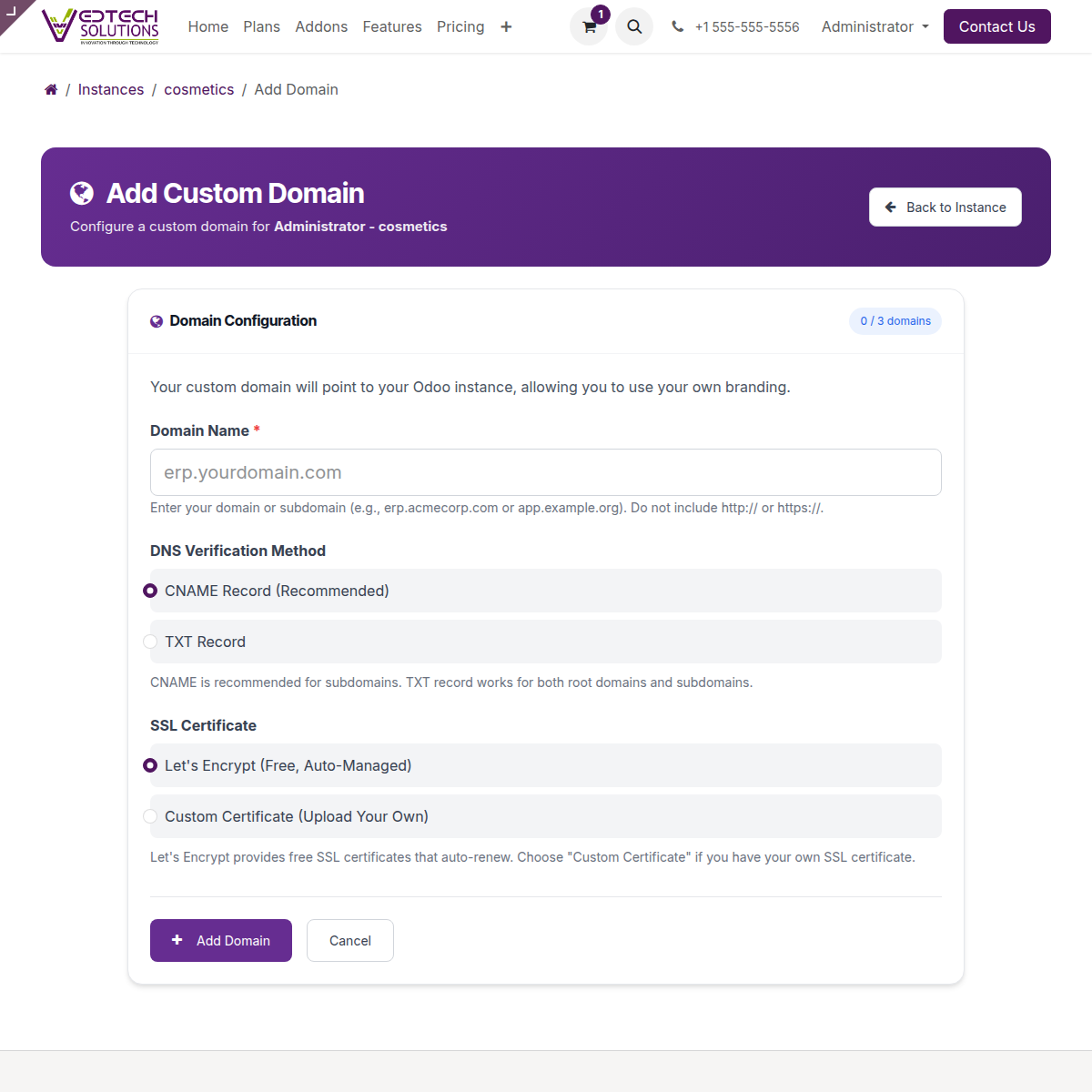
Add Custom Domain Configuration Page
Configuration Steps
- Enter Domain Name: Type your domain (e.g.,
erp.yourcompany.com)- Do not include
http://orhttps:// - Subdomains work best (e.g.,
erp.company.com,odoo.company.com)
- Do not include
- Choose DNS Verification Method:
- CNAME Record (Recommended): Best for subdomains
- TXT Record: Works for both root domains and subdomains
- Select SSL Certificate:
- Let's Encrypt (Recommended): Free, auto-managed, auto-renews
- Custom Certificate: Upload your own SSL certificate
- Click Add Domain
Domain Limits by Plan
| Plan | Custom Domain Slots |
|---|---|
| Solo | 0 (not available) |
| Starter | 0 (not available) |
| Professional | 1 domain |
| Enterprise | 3 domains |
Next Steps
After adding your domain, you need to configure your DNS settings. See our detailed guides:
- DNS Configuration Guide - Step-by-step for all providers
- SSL Certificates - Managing SSL for your domains